

Meeting rooms have come a long way from whiteboards and overhead projectors. Today, more companies are upgrading their conference spaces with interactive display solutions that combine presentation, annotation, and collaboration in one device. The challenge for buyers is separating features that sound impressive on paper from the ones teams actually use every day.
For businesses evaluating a conference room display upgrade, the most important question is not how many features a screen has, but whether those features match real meeting workflows and are easy for the team to use. A reliable wireless meeting screen can simplify daily meetings and reduce setup time, making collaboration smoother across teams and departments.
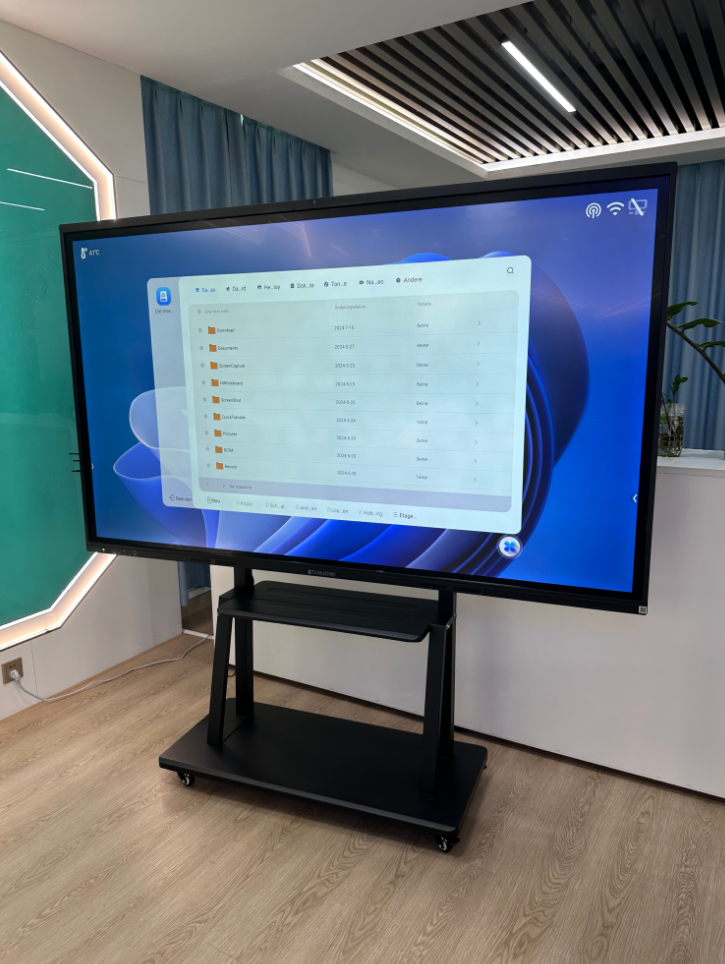
Features Teams Actually Use in Meeting Rooms
When evaluating an interactive meeting display, it helps to focus on the functions that see regular use across different team sizes and meeting types. Below are the features that tend to deliver the most practical value in real office environments.
Wireless screen mirroring: One of the most frequently used functions is the ability to cast a laptop, phone, or tablet screen onto the display without cables. This saves time at the start of meetings and makes it easy for anyone to present without technical setup.
Touch and annotation: Being able to write, draw, and mark up content directly on the screen replaces the traditional whiteboard. Teams use this for brainstorming, highlighting key points, and adding notes during presentations or discussions.
Multi-person collaboration: Displays that support simultaneous touch input let multiple people write or interact at the same time. This is especially useful for workshops, training sessions, and creative brainstorming meetings.
Video conferencing integration: Many teams use the display as the main screen for video calls. Having a clear, large screen improves remote meeting experience and reduces the need for separate monitors or projectors.
Core Functions: Mirroring, Touch, Collaboration and Installation
Screen Mirroring Compatibility
A good smart board for meeting room should support screen casting from common operating systems and devices. Before purchasing, buyers should confirm which mirroring protocols are supported and whether additional software or dongles are required. The goal is that any team member can walk into the room and share their screen within seconds.
Touch and Writing Experience
Touch response accuracy and writing feel matter more than the number of touch points. Teams use the touch screen meeting display for writing ideas, drawing diagrams, circling content, and navigating documents. The interface should be intuitive enough that first-time users can start writing without training.
Collaboration and Content Sharing
Beyond local meetings, some displays support remote collaboration features where participants in other locations can view or even contribute to the screen content. The actual collaboration features available depend on the software configuration and should be confirmed based on specific project needs.
Installation Flexibility
Interactive displays can be wall-mounted, placed on a mobile stand, or integrated into existing conference room furniture. Installation method affects viewing angle, ergonomics, and whether the display can be moved between rooms. Buyers should consider the room layout and whether the team needs the flexibility to relocate the screen.
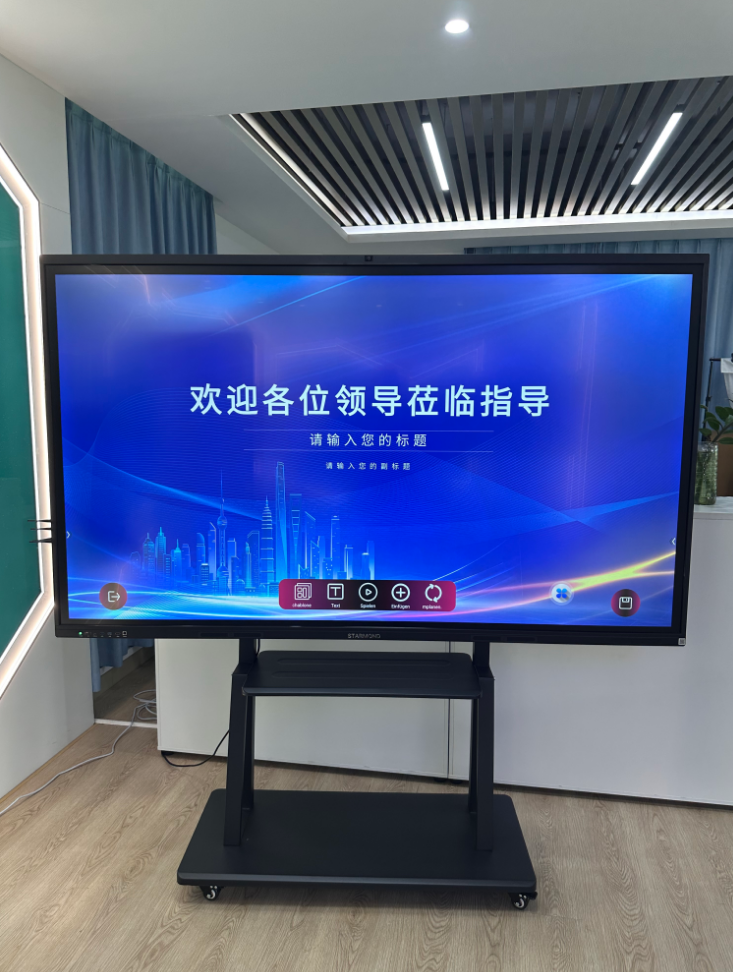
Which Spaces Benefit Most from Interactive Meeting Displays
An interactive display for conference rooms is not one-size-fits-all. Different room sizes and use cases call for different screen sizes and feature sets. Here are the most common scenarios where upgrading to a touch screen display delivers clear value.
Small meeting rooms and huddle spaces: Compact rooms with two to six people benefit greatly from an all-in-one display that replaces a separate screen, whiteboard, and video call setup. A smaller screen size is usually sufficient, and easy connectivity is the top priority.
Training rooms and classrooms: Training environments use interactive displays for instruction, annotation, and group exercises. The ability to write directly on slides, save notes, and switch between content sources makes training sessions more engaging and efficient.
Medium to large conference rooms: Larger meeting spaces need bigger screens and often support more advanced collaboration features. Teams in these rooms typically use video conferencing, multi-party screen sharing, and presentation annotation as core functions.
What to Confirm Before Purchasing
Choosing the right conference tablet or interactive display depends on several practical factors. Before comparing specific models, it helps to go through the selection checklist below to clarify your actual requirements.
Meeting Room Display Selection Checklist
• Room size — dimensions of the meeting space
• Viewing distance — how far participants sit from the screen
• Number of users — typical meeting attendance and simultaneous touch users
• Touch requirement — whether writing and annotation are needed
• Wireless sharing — screen mirroring support for different devices
• Camera/audio needs — built-in or separate video conferencing setup
• Wall-mounted or mobile stand — preferred installation method
• Installation environment — room lighting, wall structure, and power access
• Room size — dimensions of the meeting space
• Viewing distance — how far participants sit from the screen
• Number of users — typical meeting attendance and simultaneous touch users
• Touch requirement — whether writing and annotation are needed
• Wireless sharing — screen mirroring support for different devices
• Camera/audio needs — built-in or separate video conferencing setup
• Wall-mounted or mobile stand — preferred installation method
• Installation environment — room lighting, wall structure, and power access
Key details to prepare before inquiry include: screen size preference, installation method (wall-mounted / mobile stand / built-in), number of touch points needed, screen mirroring protocol requirements, operating system preferences, room size and viewing distance, quantity needed, target country, and any special software or integration requirements. Clear project information helps the supplier recommend the right display option for your meeting environment.
For companies planning interactive displays for meeting rooms, the best choice depends on room size, viewing distance, touch requirements, wireless sharing needs, and how often the display will be used for collaboration. A teaching conference tablet can be a practical option for teams that need presentation, annotation, and screen sharing in one meeting room display solution.
Upgrade Your Meeting Room with Starmond Display
Interactive meeting displays have become a practical upgrade for offices that want simpler, more collaborative meeting spaces. The right solution can replace multiple pieces of equipment with a single, easy-to-use screen that supports presentations, annotations, and team discussions.
Starmond Display offers interactive display solutions suitable for meeting rooms, training spaces, and corporate conference environments. Our teaching and conference tablet line provides touch interaction, screen mirroring support, and reliable performance for daily office use. Specific size options, touch configurations, and installation methods can be discussed based on your project requirements.
Looking to upgrade your conference room display? Send display inquiry today. Share your room size, installation preference, screen size, feature requirements, quantity, and target country, and our team will review your project details for further discussion.
Related Reading
For temporary training rooms, mobile meeting areas, or flexible showroom spaces, teams may also consider movable display options that can be repositioned between different areas.